


Today, professional product images are vital for online success. But traditional photoshoots can be expensive, time‑consuming, and tough to manage. If you’re an e‑commerce business owner, marketer, or creative team looking for a simpler way to create high‑quality visuals, then Wondershare VirtuLook could be the solution you’ve been searching for.
In this guide, we’ll cover everything you need to know what it is, how it works, key features, benefits, use cases, pricing, pros and cons, and tips for getting results.
What Is Wondershare VirtuLook?
Wondershare VirtuLook is an AI‑powered image creation tool designed to help businesses generate professional product photos quickly and easily. It lets users create realistic product visuals, including placing products on virtual models or in appealing backgrounds all without traditional photoshoots.
 Originally launched as a web‑based workstation for e‑commerce photo generation, VirtuLook enabled users to upload product images, remove backgrounds, select virtual models and scenes, and generate new images with AI help, simplifying the process compared to manual editing.
Why VirtuLook Was a Game Changer
Before its discontinuation, Wondershare VirtuLook helped businesses solve a common challenge: how to create professional‑looking product images without hiring photographers or models. It brought powerful image generation right into the browser, making it accessible to users with or without design experience.
Some key benefits included:
No need for studio setups or physical models
Fast image output ready for product listings
AI‑driven visuals tailored for e‑commerce needs
Cost savings compared to traditional image production
Key Features Of Wondershare VirtuLook
Here’s an overview of the main features that made Wondershare VirtuLook valuable for businesses:
1. Real‑Life Virtual Model Generation
One of the standout features of Wondershare VirtuLook was its ability to create product photos with virtual models. Users could choose from a variety of model types including different body shapes, poses, and styles and apply their products directly onto these models in the generated image.
This made it especially helpful for fashion brands, clothing stores, and accessories sellers who needed visuals without physical manpower.
2. AI‑Generated Backgrounds
VirtuLook offered a range of AI‑generated backgrounds to place your product in realistic contexts. Whether you wanted a minimalist studio look or a lifestyle setting like outdoors or home scenes, this feature helped make product visuals more appealing.
This meant users didn’t need to manually edit backgrounds or hire a photographer the AI could fill in the setting that best matched the product’s style and purpose.
3. Easy Product Image Workflows
The workflow was designed to be simple, especially for those without technical design skills:
Upload product image
Remove background
Choose virtual model & scene
Generate realistic output images
This meant even beginners could produce professional visuals without steep learning curves.
4. Customization Tools
Users could adjust image settings, choose different angles or lighting conditions, and experiment with layouts to match their brand’s look. This flexibility ensured that product visuals aligned with marketing goals.
5. Increased Conversion Potential
Studies show that well‑presented images can boost sales and user engagement. VirtuLook’s ability to deliver consistent, high‑quality imagery helped brands improve listing performance and encourage buyers to convert faster.
Online retailers could use these generated images for product galleries, social media, and paid ads without outsourcing professional photographers.
Read Also: Riverside Transcription: Easy & Accurate Tool
Use Cases
Let’s explore how different users and industries could benefit from using Wondershare VirtuLook even though the original service is now discontinued, these examples show its practical value:
1. E‑Commerce Stores
Online sellers used VirtuLook to produce a variety of product visuals including catalog images and lifestyle shots without a photography team. This helped them keep product pages fresh and appealing.
VirtuLook’s AI backgrounds and model placement tools could make products stand out on crowded marketplaces.
2. Fashion & Apparel Brands
Clothing retailers could visualize outfits on digital models, enabling customers to see how items might look on real people without setting up in‑person photo sessions.
This helped with lookbooks, social campaigns, and online catalogs.
3. Marketing Teams
Marketing teams of all sizes could use VirtuLook imagery for ads, banners, and promotional materials, saving both time and cost that would otherwise go into graphic design and editing.
4. Small Business Owners
Small businesses often lack the budget for traditional photoshoots. VirtuLook provided an accessible way to create professional content without hiring external help.
5. Content Creators & Agencies
Design and content agencies could accelerate delivery times for clients by using AI‑generated product visuals, allowing them to handle larger project loads without compromising on quality.
Pricing Overview
When VirtuLook was available, it offered flexible pricing plans aimed at individuals and teams:
Monthly subscriptions starting from around $39.99 per month
Annual plans discounted yearly fees, often more affordable for frequent use
Team or business plans higher tier options for larger visual needs
Pricing helped make AI image creation affordable for e‑commerce entrepreneurs, small agencies, and teams that needed regular product image generation.
Pros and Cons
Pros | Cons |
|---|---|
Faster visuals without traditional photo shoots | Focused mainly on product photos not general graphics |
Cost savings on setup and editing | Creative control still limited compared to expert designers |
AI‑assisted workflows reduce manual work | The platform is now discontinued (so access is limited) |
Great for e‑commerce catalog updates | - |
Accessible for non‑designers | - |
Tips for Using AI Tools Like VirtuLook
Even though Wondershare VirtuLook isn’t active anymore, the idea of AI‑assisted product visuals remains powerful. Here are tips for getting similar results with other tools or successors:
Always use high‑quality source images for best outputs.
Choose backgrounds and models that match your brand style.
Test visuals on real audience segments before final campaigns.
Pair AI visuals with smart SEO and product descriptions.
Keep consistency in brightness and color across product listings.
Alternatives to Wondershare VirtuLook
1. Photoroom Virtual Model
Photoroom Virtual Model is one of the top alternatives for e‑commerce sellers. It lets you create product images placed on virtual models with high detail, including accurate garment textures and consistent lighting that help products look more appealing online.
Key Features
Automatic background removal for clean product visuals
Virtual model placement and staging
Batch editing for multiple product images
AI‑optimized lighting and shadows for realism
Templates for marketplace images and social graphics
Pros and Cons
Pros | Cons |
|---|---|
Accurate automatic background removal | Advanced editing features may require a paid plan |
Virtual model placement for products | Free plan limitations (watermarks or export quality) |
Batch editing for multiple images | Not a full design suite |
Easy to use, beginner‑friendly | Limited control over intricate model poses |
2. WeShop AI Studio
WeShop AI Studio focuses on generating lifelike product images using customizable virtual models. You can adjust model poses and features to match your brand’s needs, making it a good choice if you want diverse model representations in product shots.
Key Features
AI product image generation tailored to e‑commerce
Realistic model generation and scene placement
Background removal and image enhancement tools
Style consistency across product collections
Fast workflow from prompt to ecommerce‑ready visuals
Pros and Cons
Pros | Cons |
|---|---|
Designed specifically for e‑commerce visuals | Web‑only tool (no offline support) |
Offers product image and video generation | Some advanced features require higher pricing tier |
AI model placement and scene options | Limited diversity in some model styles |
Built‑in editing tools like background removal | Realism varies with image quality |
3. Adobe Firefly
Adobe Firefly is a generative AI tool by Adobe that helps users create high-quality images, text effects, and design assets using simple text prompts. It is built for creatives and integrates seamlessly with Adobe Creative Cloud apps, enabling fast, commercial-safe content creation with full creative control.
Key Features
Text‑to‑image generation based on prompts
Generative Fill for editing and object replacement
Integration with Adobe Creative Cloud apps
Commercial‑safe model training and outputs
Custom styles, aspect ratios, and reference look controls
Pros and Cons
Pros | Cons |
|---|---|
Commercial‑safe AI image generation | Subscription required for full access |
Strong integration with Adobe apps | Not specifically focused on product photography |
Powerful generative fill and editing tools | Can be complex for beginners |
Highly customizable creative outputs | Less intuitive for simple ecommerce workflows |
4. Stable Diffusion
Stable Diffusion is an open-source AI image generation model that creates detailed and high-quality images from text prompts. It allows users to generate, edit, and customize visuals with full control, making it popular among artists, developers, and designers for creative and experimental projects.
Key Features
Open‑source text‑to‑image generation
Full control over prompts, CFG scale, and sampling steps
Custom image dimensions and styles
Can run locally for privacy and cost control
Third‑party integrations and plugin support
Pros and Cons
Pros | Cons |
|---|---|
Highly customizable image generation | Setup can be technical for new users |
Open‑source and flexible | Requires prompt‑crafting skill |
Can run locally for privacy and cost control | Not tailored specifically for ecommerce images |
Large community and plugin support | Output quality varies with prompt quality |
5. Ideogram
Ideogram is an AI-powered image generation tool designed to create visually striking images with accurate and readable text. It is especially useful for logos, posters, and social media graphics, helping users turn text prompts into high-quality designs quickly and easily.
Key Features
Strong and accurate text generation inside images
Supports graphic‑style or marketing visuals
Intuitive prompt‑based interface
Works well for layouts with text and branding elements
Beginner‑friendly usage
Pros and Cons
Pros | Cons |
|---|---|
Strong at generating images with readable text | Not focused on photorealistic product visuals |
Easy to use, friendly interface | Limited tools for detailed product editing |
Great for graphic visuals and layouts | Not ideal for standard ecommerce product galleries |
Good for promotional and branded graphics | Background/scene realism is limited |
Conclusion
Wondershare VirtuLook was a strong solution for e‑commerce and businesses looking to produce professional product images without traditional photoshoots. With features like AI‑generated backgrounds, virtual models, and a simplified workflow, it made AI image generation accessible to many users even those without design skills.
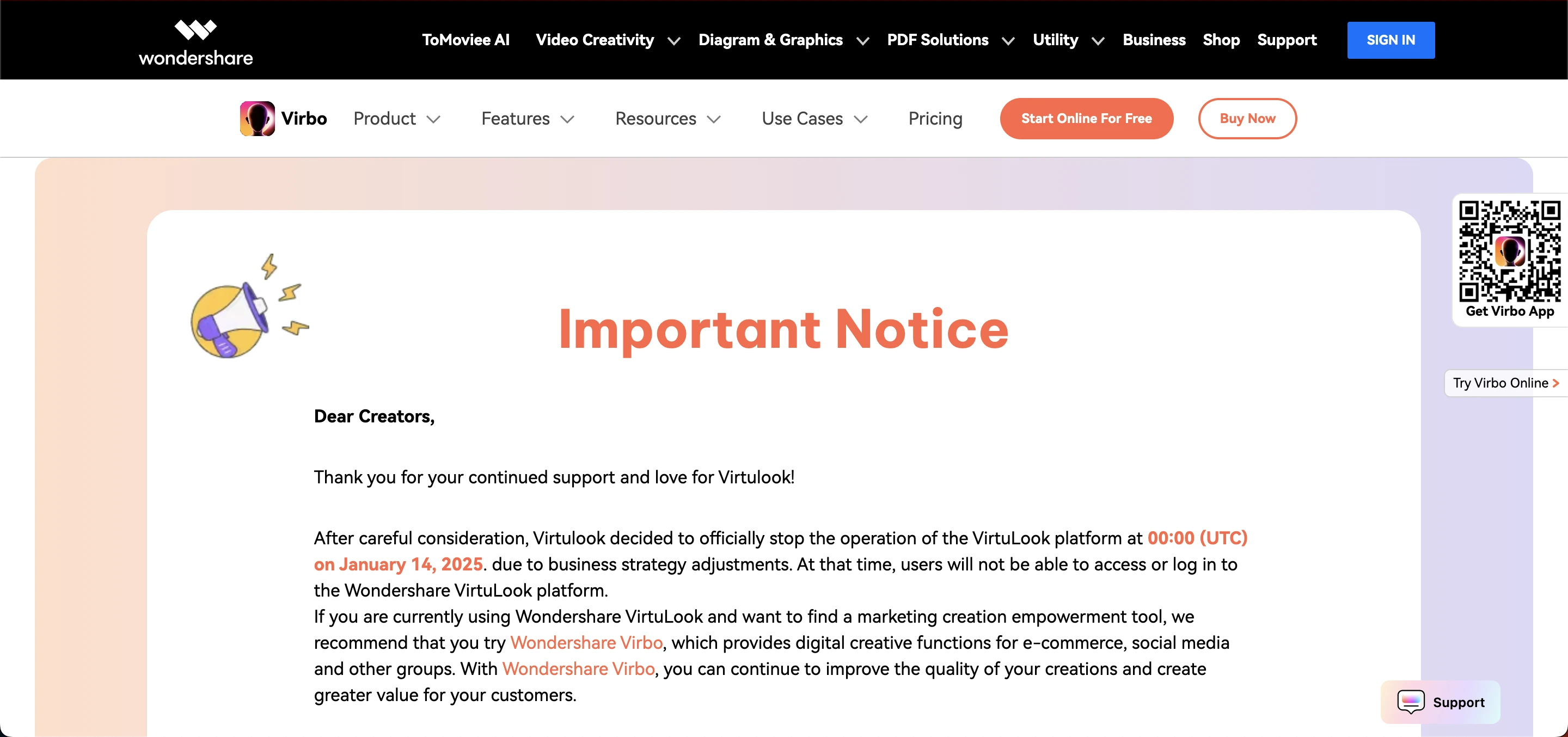
While the official platform has been discontinued as of January 2025, the core concepts still show how AI can streamline business visuals and support marketing success. If you’re looking for similar capabilities, explore current tools from Wondershare and other AI image‑creation services that build on what VirtuLook started.