

Artificial intelligence tools for creative video production and animation have been growing rapidly. One tool that’s gained attention in online communities and content creator circles is warp fusion ai.
Although not a mainstream commercial product with corporate marketing, warp fusion ai has a dedicated presence in open‑source spaces and AI art communities as a video‑to‑animation processor that uses diffusion methods to generate dynamic visuals from existing media.
This guide explains what warp fusion ai is, how it works, its key features, typical use cases, pros and cons, tips for getting started, and answers frequently asked questions. By the end of this article, you’ll have a clear understanding of this AI tool’s potential, limitations, and real ways it’s used today.
What Is Warp Fusion AI?
Warp fusion ai refers to an AI‑based technique and toolchain for transforming videos or sequences of images into stylized, animated visuals.
It is often referred to as Stable WarpFusion in the context of AI video tools that integrate diffusion models and temporal consistency methods to produce frame‑by‑frame coherent animations.
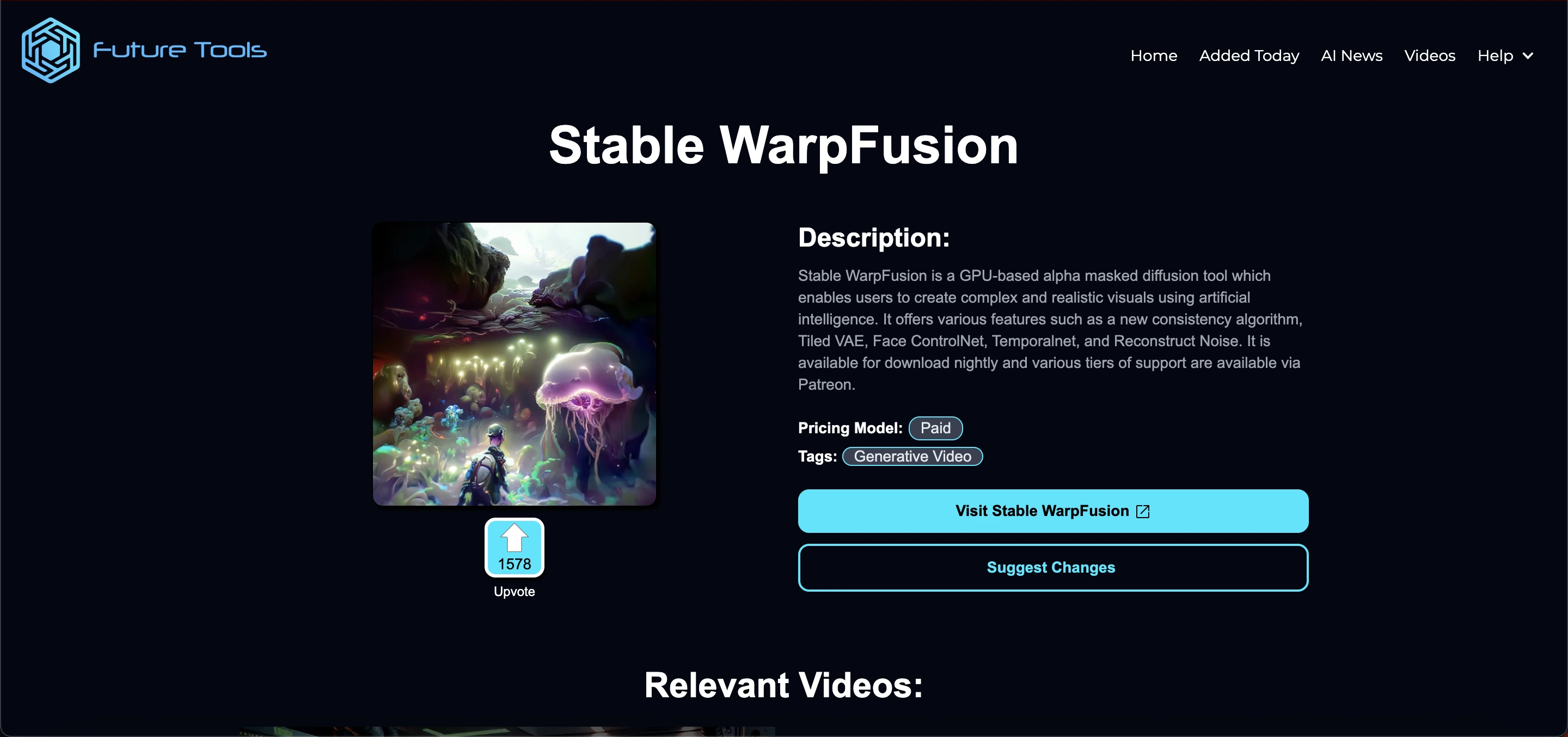 At its core, warp fusion ai uses deep learning models particularly diffusion‑based architectures to analyze input video frames and generate output frames that preserve motion, consistency, and artistic style.
This can include turning ordinary footage into more artistic or stylized animation forms for creative projects, social media content, or experimental visual works.
How Does Warp Fusion AI Work?
To understand how warp fusion ai works, it helps to break down the typical steps involved:
1. Input Video Processing
A creator provides a base video this could be anything from a short clip to a series of frames.
2. Diffusion‑Based Transformation
Warp fusion ai uses algorithms adapted from image diffusion models (similar to those behind tools like Stable Diffusion) that can interpolate and change visuals based on prompt instructions or learned patterns.
3. Temporal and Warp Consistency
Instead of operating on each frame independently, warp fusion ai incorporates warp consistency logic to maintain smooth motion transitions. This means frame‑to‑frame coherence is prioritized so animation doesn’t appear jittery or inconsistent.
4. Control Networks & Masks
Creators can optionally apply ControlNet models or alpha masks to guide how specific parts of a frame should be treated for example, keeping a person’s face stable while the background animates differently.
5. Final Output Rendering
Once processed, the result is a series of generated frames that are stitched into a video, giving the effect of a stylized AI animation based on the original footage.
This process allows warp fusion ai to produce visuals that look animated or transformed, even though they begin from standard video clips.
Key Features
Although warp fusion ai does not have a central commercial homepage with official feature lists, community‑maintained resources and tutorials highlight several practical capabilities:
1. AI‑Driven Video Animation
Warp fusion ai applies AI models to create animated versions of your source video. This allows users to turn ordinary clips into motion art without deep manual editing.
2. Frame Consistency and Temporal Logic
Instead of producing individual static results, warp fusion ai keeps frames coherent over time, reducing flicker and motion artifacts.
3. ControlNet and Prompt Support
Creators often leverage additional AI controls (e.g., ControlNet or mask directives) to influence how the output should look, giving more artistic control over the final video.
4. Custom Models & Flexibility
Users can integrate custom trained models into warp fusion ai processes, allowing unique visual styles or domain‑specific aesthetics to be applied.
5. Runs on GPUs or Cloud Notebooks
Many implementations of warp fusion ai rely on powerful graphics processing units (GPUs) or cloud environments like Google Colab, making use of available computing resources for faster processing.
Read Also: Internal Tools Deepen AI: Features, Uses & Benefits
Use Cases
warp fusion ai attracts creators with different goals. Some common use cases include:
Creative Video Content for Social Platforms
Creators looking to make engaging short videos for TikTok, Instagram, or YouTube use warp fusion ai to add animation or unique styles that stand out.
Artistic Visual Projects
Artists and hobbyists use warp fusion ai to explore new visual styles and experiment with AI‑generated motion graphics in art installations or creative portfolios.
Experimental Film & Media
Independent filmmakers or visual storytellers employ warp fusion ai when they need quick prototypes of stylized sequences without heavy animation pipelines.
Proof of Concept & Prototyping
For showing clients or teams preliminary motion visuals, warp fusion ai offers a fast way to generate drafts that convey style direction.
Learning and AI Study
Students and AI enthusiasts often run warp fusion ai to understand how AI models handle video patterns and temporal consistency
Benefits of Using Warp Fusion AI
Here are some potential benefits people report when working with warp fusion ai:
Faster creation of animated content compared to manual animation
Ability to explore visual styles with minimal technical setup
Works with existing footage instead of requiring all new media
Encourages creative experimentation and idea generation
Keep in mind that results can vary widely depending on model configurations, hardware, and the specific settings chosen by the user.
Limitations and Challenges
Despite its growing popularity, Warp Fusion AI comes with several limitations that creators should be aware of before diving in.
First, achieving high-quality results often requires a strong GPU or access to cloud-hosted environments, such as Google Colab Pro or dedicated machines, to ensure smooth performance.
Additionally, Warp Fusion AI is not always beginner-friendly; using it typically involves working with notebooks, Python environments, or command-line execution, which can be challenging for non-technical users.
Another consideration is that results can be inconsistent animation quality may fluctuate depending on the prompts used and model tuning, particularly with textures or fast-moving frames.
Finally, as Warp Fusion AI is often maintained as a community project, it relies on volunteers and third-party repositories, meaning that documentation and updates may be uneven or sporadic.
How to Get Started with Warp Fusion AI
Here’s a high‑level view of how people typically start using warp fusion ai:
Step 1: Choose Your Platform
You’ll need a platform to run the warp fusion ai setup. Most users choose cloud platforms like Google Colab or a local machine with a powerful GPU.
Step 2: Clone the WarpFusion Code
Many versions of warp fusion ai exist in public repositories (e.g., from GitHub). Download or clone the relevant notebook or codebase.
Step 3: Install Dependencies
Install necessary libraries, such as PyTorch or diffusion model frameworks, to support video‑to‑AI generation.
Step 4: Upload Your Video
Provide your source video frames to the notebook or system, often breaking the video down into frames if needed.
Step 5: Configure Prompts & Controls
You can adjust how warp fusion ai interprets your visuals by setting prompts, adding masks, or enabling extra control modules.
Step 6: Run the Notebook
Run the cells from start to finish so the model processes the frames and outputs a rendered video.
Step 7: Review & Adjust
After initial results, tweak settings to improve consistency, style, or motion smoothness.
Practical Tips for Better Results
Here are some practical tips people share for working with warp fusion ai:
Start with shorter videos (under 10 seconds) when testing settings.
Adjust prompt strength carefully too high can distort frames unpredictably.
Use masks when you want specific parts to remain stable.
Experiment with different models or ControlNets for varied visual effects.
Save configuration presets so you can iterate quickly.
These tips help you make the most out of the tool while minimizing trial‑and‑error cycles.
Summary
Warp Fusion AI is an AI-driven tool that transforms videos into stylized animations using diffusion models and temporal consistency techniques. It allows creators to turn ordinary footage into smooth, animated visuals without manual frame-by-frame editing.
Key features include frame coherence, ControlNet support, custom models, and GPU/cloud compatibility. Common use cases include social media content creation, artistic projects, experimental films, prototyping, and AI learning.
While it offers faster and flexible animation workflows, it requires technical knowledge, strong hardware, and careful prompt tuning.
Beginners can start by using cloud notebooks, uploading videos, and experimenting with prompts and masks to produce high-quality results.
Frequently Asked Questions (FAQs)
Is warp fusion ai a standalone product?
Not exactly. It’s often a community‑driven toolkit or set of scripts using AI diffusion techniques for video animation, usually run via notebooks or shared code rather than a polished commercial app.
Does it cost money?
Basic access can often be free if run locally or via free cloud compute, but you may need paid cloud tiers (like Colab Pro) for faster processing.
Can I use it without coding?
Some versions have user‑friendly wrappers, but most setups require running notebooks, installing packages, and basic technical steps.
What formats can it output?
Typically it outputs video files or frame sequences that you can reassemble into clips.
What kind of videos can I use?
You can use most standard video formats (MP4, AVI, MOV) or sequences of frames. Shorter videos (under 10–15 seconds) are recommended for testing and faster processing.
Can I control the style of the animation?
Yes. You can use prompts, masks, or integrate ControlNet to guide which parts of the frame change and how the style is applied. Custom models can also create unique visual styles.
How long does it take to process a video?
Processing time depends on video length, resolution, hardware, and model complexity. Short clips on a GPU may take minutes, while longer or high-resolution clips can take much longer.