

In today’s online world, businesses need content that grabs attention quickly. Pippit AI is a tool that helps brands, creators, and marketers make that happen faster and with less effort. It uses artificial intelligence to turn simple inputs like product links or text into ready‑to‑publish videos, professional images, avatars with voice, and more.
Whether you’re new to content production or an experienced marketer, this guide will explain what Pippit AI is, how it works, its key features, real use cases, pros & cons, pricing insights, and tips on getting the most out of it.
What is Pippit AI?
Pippit AI is a creative platform built for making modern content quickly and easily. It combines video creation, image generation, avatar videos with AI voices, scheduling, publishing, and analytics in one place.
The main idea behind the tool is to simplify content production so users don’t need advanced design skills or large creative teams.
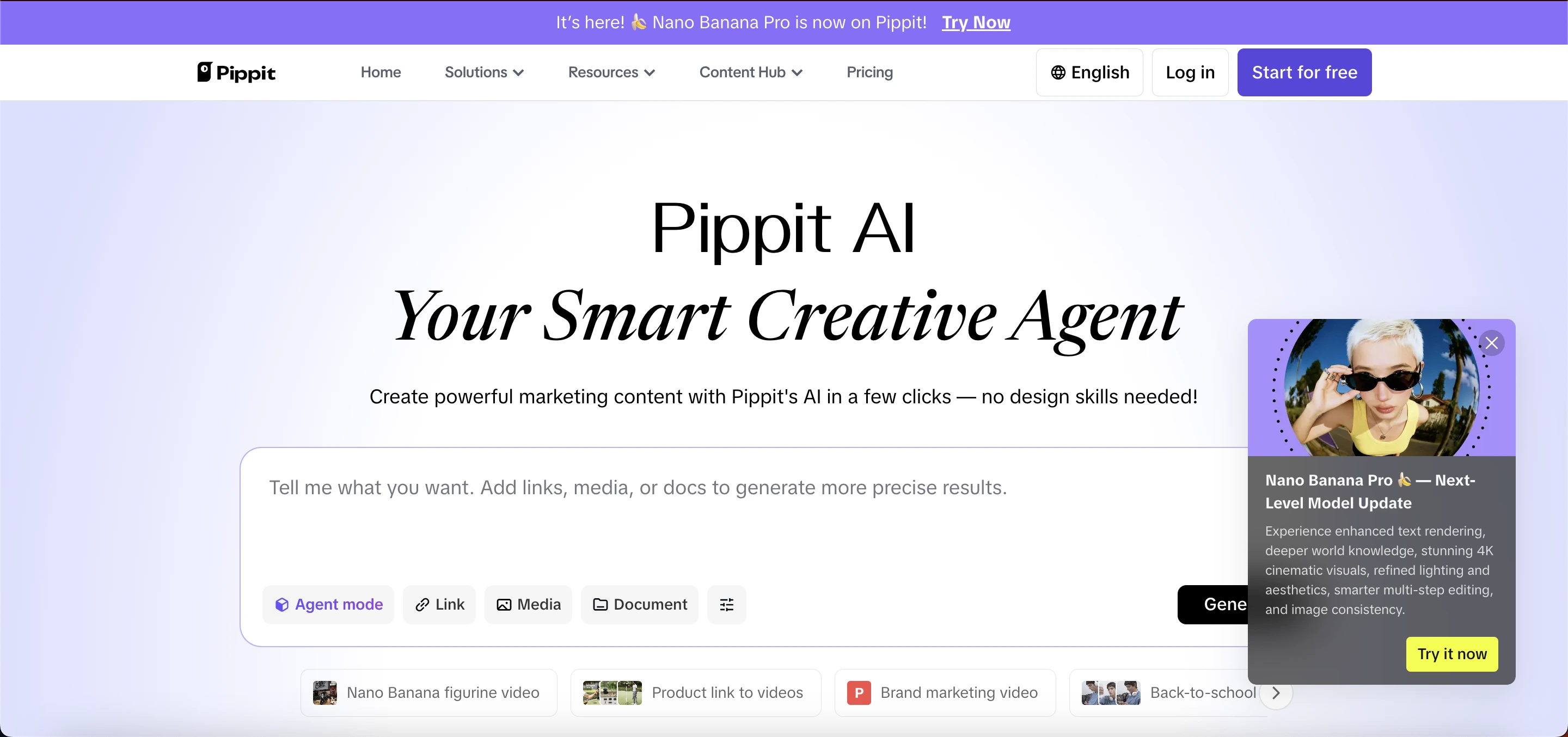 Unlike traditional design software, Pippit AI uses smart automation. Input a product link, upload images, type a script, or enter a brief idea and the platform generates ready‑to‑share visual content.
This makes it ideal for small business owners, social media managers, and e‑commerce sellers who must publish content often.
Why Pippit AI Matters for Content Creators
Content production can be slow and costly. People spend hours editing videos, cropping images, and finding ways to make content look professional. Pippit AI speeds this process up by handling many steps automatically. Some key benefits include:
Makes videos without filming
Creates consistent product images
Removes backgrounds with a click
Adds AI avatars and voiceovers
Lets you schedule posts to social platforms
Gives performance analytics for published content
These benefits help users create more content in less time, without needing a long learning curve or expert tools.
Key Features
1. One‑Click Video Generation
With this feature, you can turn product links, website URLs, scripts, or text into complete marketing videos in minutes. Pippit AI analyzes the input and builds videos that include scenes, captions, and voiceovers. You can also choose styles optimized for social media platforms like TikTok or Instagram.
2. AI Avatars with Voiceovers
Selectable digital characters can speak your message in multiple languages and tones. You can choose an avatar and have it present your video, product demo, tutorial, or explainer. This is great for audiences who prefer human‑like narration without recording a real presenter.
3. Image Studio & Batch Image Creation
Pippit AI lets you create and edit images at scale. You can generate product photos, remove backgrounds, add shadows, and apply styles suited for e‑commerce listings or social posts. This saves time when building catalogs or marketing visuals.
4. Smart Editing Tools
These include quick video trims, smart cropping for different platform ratios, text‑based editing, background removal, and more. These tools help you fine‑tune visuals without jumping between apps.
5. Scheduling & Auto‑Publishing
Instead of posting content manually every day, Pippit AI allows you to plan and schedule posts ahead of time. You can publish videos, images, and text to social networks directly from the platform.
6. Analytics & Insights Dashboard
After publishing, Pippit AI tracks how your content performs. You can see reach, views, engagement, and other metrics that help you understand what works and what needs improvement.
7. Pre‑Cleared Templates & Assets
The platform offers a library of ready‑to‑use templates for videos, images, audio, and design layouts that are safe for commercial use. This removes worries about copyright or licensing.
How Pippit AI Works (Step‑by‑Step)
It is simple to use, even if you are a beginner. Here’s a short walkthrough you can follow:
Sign Up & Log In
Create an account and choose a plan that fits your needs. Many users start with a free trial.Choose Input Type
You can paste a product link, upload images or text, and tell the AI what kind of content you want.Generate Content
Let Pippit AI create videos or images. You will get options to choose from based on your style or format.Customize Output
If needed, tweak the visuals, change avatars, add voice, text, or music.Schedule or Publish
Set publish times or post immediately to your social accounts.Analyze Performance
Use the analytics dashboard to track results and plan future content.
Read Also: Warp Fusion AI: Features & Uses
Use Cases
Here are common ways people and businesses use Pippit AI in real life:
1. E‑Commerce Product Videos
Online sellers can turn product pages directly into clickable videos that show features, benefits, or demos. These videos can be used on TikTok Shops, Instagram, or marketplace listings.
2. Social Media Campaigns
Social media managers create daily video posts, reels, and stories faster than manual editing. Smart crop makes these videos fit perfectly on every platform.
3. Brand Presentations
Companies use AI avatars to make polished presentations and explain product advantages without hiring actors.
4. Product Catalog Imagery
Batch image creation means you can create hundreds of product photos with consistent backgrounds and styling in a short time.
5. Marketing & Ad Production
Create promotional posters, thumbnail designs, and AI‑generated ads using built‑in templates.
6. Localized Content for Global Markets
With multi‑language voices and avatars, you can make content that speaks directly to different audiences around the world.
Pros and Cons
Advantages | Limitations |
|---|---|
Speeds up content creation | May take time to master all tools |
Easy to use for beginners | Some advanced edits might still need manual fine-tuning |
Combines video, images, publishing, and analytics | High-volume plans may require paid credits |
Offers pre-cleared templates | - |
Works for individuals and teams | - |
Helps scale marketing efficiently | - |
Pricing Overview
Many users start with a free trial to explore Pippit AI’s tools and see real results. After the trial, premium plans usually unlock more credits and advanced features like higher resolution videos, batch creation limits, and priority templates. Pricing may vary based on credits and business needs.
As you scale, choose a plan that lets you generate the number of videos or images you need each month without overage fees.
Tips for Better Video and Image Quality in Pippit AI
1. Use Clear and High-Resolution Inputs
Start with high-quality images or product links. Blurry or low-resolution files can affect the final video or image output. When you upload clear visuals, Pippit AI can generate sharper and more professional results.
2. Write Concise and Engaging Scripts
If you are creating a video, keep your script simple, clear, and to the point. Short sentences with strong messages work best. This ensures that the AI avatar or captions are easy to read and understand.
3. Choose the Right Video Style
Pippit AI offers different video formats for social media, e-commerce, or presentations. Pick the style that fits your platform—like vertical for TikTok or Instagram Stories, horizontal for YouTube, and square for Facebook posts.
4. Customize AI Avatars Thoughtfully
Select avatars that match your brand tone. Adjust voice speed, tone, and language to make the presentation natural. Avoid overloading with too many effects that can distract viewers.
5. Add Clear Captions and Text
Use readable fonts and contrasting colors for captions. Ensure that text is visible on all devices, especially mobile screens where most users will watch your videos.
6. Optimize Images for Background and Colors
When generating product images or thumbnails, use neutral backgrounds and balanced colors. Pippit AI’s background removal and editing tools can help you highlight your product effectively.
7. Limit Unnecessary Effects
Too many animations, transitions, or filters can reduce clarity. Keep effects simple to maintain a professional and clean look for your videos and images.
8. Preview and Adjust Before Publishing
Always review your content in Pippit AI’s preview mode. Check video pacing, avatar voice clarity, text placement, and image sharpness. Make necessary edits to improve quality before posting.
9. Use Templates for Consistency
Pippit AI offers pre-designed templates that maintain consistent quality across all your content. Templates ensure colors, fonts, and layouts stay uniform, which strengthens your brand identity.
10. Monitor Performance and Improve
After publishing, use Pippit AI’s analytics to see which videos and images perform best. Learn from engagement metrics to improve future content quality.
Final Thoughts
Pippit AI is a practical and user‑friendly creative tool that helps individuals and businesses produce professional content without steep learning curves or expensive software. From video generation to batch image creation, avatar videos, auto‑posting, and performance tracking, Pippit AI brings multiple content tools under one roof.
If you want to cut down hours of manual editing and spend more time building your audience, It is worth trying. Start with the free trial and see how quickly you can add quality content to your social and marketing channels.
Frequently Asked Questionns (FAQs)
What is Pippit AI?
Pippit AI is an online platform that helps creators, marketers, and businesses generate videos, images, and AI avatars quickly. It also allows scheduling posts and tracking content performance.
How does Pippit AI work?
You provide text, product links, or images to Pippit AI, and it automatically creates videos, images, or avatar content. You can customize and publish your content directly to social media.
Can I create videos without filming?
Yes! Pippit AI allows you to generate videos using product links, scripts, or text without any recording equipment. AI avatars can even speak your content.
Does Pippit AI support social media posting?
Yes, it includes scheduling and auto-publishing tools for platforms like Instagram, TikTok, and Facebook. You can plan your content calendar within the platform.
Can I make product images with Pippit AI?
Absolutely. The platform allows batch image creation, background removal, and style adjustments, which is perfect for e-commerce catalogs and promotional posts.